Choosing between a video doorbell and a security camera isn’t just about budget, it’s about matching the right tool to the job. Both devices capture video, send alerts, and connect to your smartphone, but they’re designed for different coverage zones and use cases. A video doorbell monitors your front entry and lets you interact with visitors, while a security camera provides broader surveillance across yards, driveways, and blind spots. Understanding where each device excels helps homeowners build a layered security system that actually works. This guide breaks down the core differences, benefits, installation considerations, and cost factors so you can decide which option, or combination, fits your property.
Table of Contents
ToggleKey Takeaways
- A video doorbell vs security camera decision depends on your priorities: doorbells excel at front-door communication and visitor interaction, while security cameras provide perimeter-wide surveillance across yards, driveways, and blind spots.
- Video doorbells install easily in 20–30 minutes at eye level for face capture, while security cameras mount 8–10 feet high for broader coverage, tamper resistance, and license plate visibility.
- Video doorbells cost $80–$250 and suit townhouses or single-entry homes, whereas security cameras range from $50–$400+ per unit and scale better for multi-zone monitoring on larger properties.
- The most effective home security strategy combines both: deploy a video doorbell for porch monitoring and remote visitor interaction, then add security cameras to cover blind spots, side yards, and backyards for complete protection.
- Security cameras offer 24/7 continuous recording via NVR or microSD storage without relying solely on cloud subscriptions, while video doorbells typically use event-based cloud recording with potential footage gaps.
- Start by identifying your highest-risk zone—usually the back or side of your home—and install the appropriate device there first, then expand coverage based on budget and property layout.
What’s the Difference Between a Video Doorbell and a Security Camera?
At their core, both devices capture video and send alerts to your phone. But their design, function, and ideal placement differ.
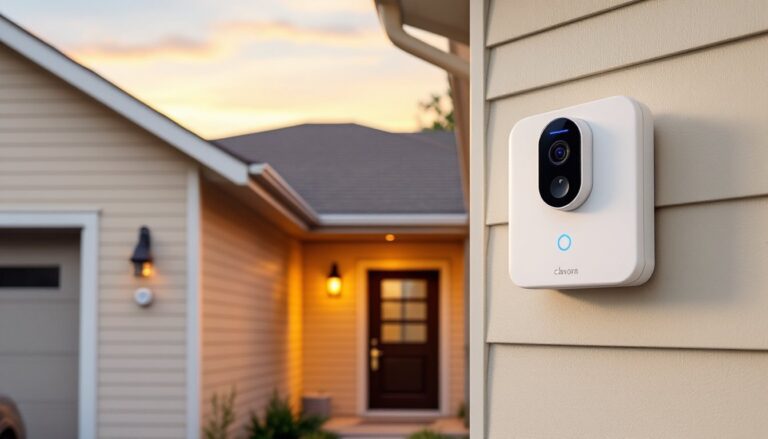
A video doorbell replaces or supplements your existing doorbell, mounting at eye level near your front door. It’s optimized for face-level interaction: two-way audio, motion detection in a narrow field of view (typically 160–180 degrees horizontal), and a form factor designed to look like a doorbell. Most models integrate with your existing doorbell wiring (16–24V AC transformer) or run on rechargeable batteries. The key feature is the doorbell button, visitors press it, you get an alert, and you can answer from your phone even if you’re not home.
Security cameras cover broader areas, side yards, driveways, backyards, garages. They mount higher (8–10 feet is common for deterrence and coverage), offer wider fields of view (up to 130 degrees or more with pan-tilt models), and often include features like optical zoom, floodlights, or infrared night vision with longer range. They don’t have a doorbell button: they’re passive watchers. Many models are weatherproof to IP65 or IP66 standards and can be hardwired via PoE (Power over Ethernet) or plugged into standard 120V outlets.
In short: a video doorbell is a front-door communication tool with surveillance as a bonus. A security camera is a dedicated surveillance device that covers perimeters and blind spots.
Key Benefits of Video Doorbells for Homeowners
Video doorbells shine in scenarios where direct interaction matters.
Two-way audio lets you answer the door remotely, whether you’re upstairs, at work, or on vacation. You can tell a delivery driver to leave the package by the garage or ask a solicitor to leave without opening the door. This is a safety layer for anyone living alone or for homes with elderly occupants.
Package theft deterrence is real. The visible camera and doorbell button signal that the front porch is monitored. Most models timestamp delivery footage, which is useful if you need to file a claim or police report.
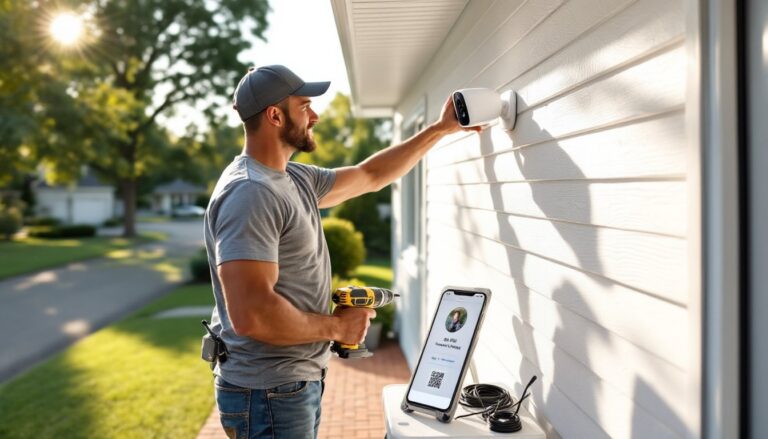
Easy retrofit installation is another win. If you have existing doorbell wiring, installation takes 20–30 minutes: disconnect the old doorbell, mount the bracket with two screws into your door frame or siding (use anchors if mounting to stucco or brick), connect the wires, snap on the faceplate. Battery-powered models are even simpler, mount and pair via Wi-Fi. No need to run new cable or drill through exterior walls.
Modern home security devices often integrate with smart locks and lighting systems. You can unlock the door remotely for trusted visitors or trigger porch lights when motion is detected after dark.
Limitations: narrow field of view means they won’t catch activity at the side of your house or driveway. And if your home has multiple entry points, a single doorbell won’t cover them.
Key Benefits of Security Cameras for Home Protection
Security cameras offer perimeter-wide coverage that doorbells can’t match.
Wider surveillance zones mean one camera can monitor your entire driveway, side gate, or backyard. Pan-tilt-zoom (PTZ) models let you adjust the view remotely, which is useful for large properties or homes with long driveways.
Higher mounting positions (8–12 feet) make cameras harder to tamper with and provide a top-down view that reduces blind spots. This height also captures license plates and full-body footage, which is critical if you need to share evidence with law enforcement.
Advanced night vision is standard on most outdoor cameras. Infrared LEDs provide clear black-and-white footage up to 30–50 feet, and some models include color night vision using ambient light or integrated spotlights.
Continuous recording options are available with cameras that support local storage (microSD cards up to 256GB) or network video recorders (NVRs). Video doorbells typically rely on cloud storage with event-based recording, which means gaps between motion triggers. If you want 24/7 footage, security cameras are the better choice.
Weatherproofing and durability matter for exposed locations. Look for cameras rated IP65 or higher if you’re mounting under an eave with limited shelter, or IP66–IP67 for fully exposed areas like fence posts. Housing materials vary, metal housings hold up better than plastic in extreme heat or freezing rain.
Many cameras integrate with professional monitoring services or NVR systems that support multiple camera feeds on one platform. This is essential for larger homes or properties with detached garages and outbuildings.
Coverage Area and Installation: Where Each Device Works Best
Placement determines effectiveness. Use the wrong device in the wrong spot and you’re wasting money.
Video Doorbell Placement
Install at 48–52 inches above the porch floor, eye level for most adults. This height captures faces clearly and keeps the camera out of reach of small children. If your door is recessed or under a deep porch, check the camera’s field of view spec. A 160-degree horizontal FOV works fine for open porches: you may need 180 degrees for alcoves.
Wiring considerations: Most video doorbells require 16–24V AC from your existing doorbell transformer. If you’re replacing a wired doorbell, you’re good to go. If you’re adding a doorbell where none existed, you’ll need to run low-voltage wire from your transformer (usually located in the basement, garage, or near your electrical panel) to the front door. This isn’t difficult, use 18-gauge doorbell wire, but it does require drilling through a wall.
Battery-powered models skip the wiring but need recharging every 3–6 months depending on activity. Cold weather drains lithium-ion batteries faster, so if you live in a region with hard winters, plan on more frequent recharges.
Security Camera Placement
Mount cameras 8–10 feet high at corners or eaves to maximize coverage and minimize vandalism risk. Aim them to cover entry points, side gates, sliding doors, garage doors, or driveways.
For wired cameras, you’ll need to run cable. PoE cameras are cleanest: a single Cat5e or Cat6 cable carries both power and data from a PoE switch or NVR in your network closet. If you’re mounting to siding, use exterior-rated cable and seal penetrations with silicone caulk to prevent water infiltration. If mounting to brick or stucco, use a masonry bit and plastic anchors.
Wireless cameras simplify installation but require strong Wi-Fi signal at the mounting location. Test signal strength before drilling. If your router is on the opposite side of the house, consider adding a Wi-Fi extender or mesh node.
Cameras covering large yards or driveways benefit from overlapping fields of view. Position two cameras so their coverage zones overlap slightly, this eliminates blind spots and provides redundancy if one camera is obstructed or malfunctions.
For guidance on planning a comprehensive setup, home security systems can incorporate both device types strategically.
Cost Comparison: Upfront Investment and Ongoing Expenses
Budget matters, but so does long-term value.
Upfront Costs
Video doorbells range from $80 to $250 depending on resolution, brand, and features. Entry-level models (1080p, basic motion detection) start around $80–$120. Mid-range options (1536p, HDR, advanced motion zones) run $150–$200. Premium models with package detection and 180-degree FOV can hit $250.
Security cameras span a wider range: $50 to $400+ per camera. Basic 1080p wireless cameras cost $50–$100. Wired PoE cameras with 2K or 4K resolution, optical zoom, and color night vision run $150–$300. PTZ cameras with motorized pan-tilt and 4x–10x zoom start at $300 and climb fast.
If you’re building a multi-camera system, factor in the cost of an NVR ($150–$500) or additional PoE switch ports ($30–$100 for an 8-port switch).
Ongoing Expenses
Both device types often require cloud storage subscriptions to save video beyond 24 hours. Expect $3–$10/month per camera. Some brands offer local storage (microSD or NVR) without monthly fees, if avoiding subscriptions matters, prioritize those models.
Electricity costs are negligible for both. A typical PoE camera draws 4–9 watts: a video doorbell on standby uses 2–4 watts.
Battery replacement or recharging adds hassle for wireless models but not direct cost unless you opt for spare batteries ($30–$50 each).
Long-Term Value
Cameras offer better value for large properties or multi-point coverage. A single home security camera system can monitor multiple zones. Video doorbells offer concentrated value at the front door, less hardware, simpler setup, immediate interaction benefits.
According to industry testing, higher-end video doorbells often outperform budget security cameras in motion detection accuracy and video clarity at close range, which matters for identifying faces.
Which Option Should You Choose for Your Home?
The answer depends on your property layout, security priorities, and whether you need interaction or surveillance.
Choose a Video Doorbell If:
- Your primary concern is front-door activity, deliveries, visitors, solicitors.
- You want two-way communication to answer the door remotely.
- You live in a townhouse, condo, or home with a single main entrance.
- You’re renting or want a non-invasive installation (battery-powered models work well).
- You already have other security measures (alarm system, side/back cameras) and just need porch coverage.
Choose Security Cameras If:
- You need perimeter coverage, driveways, side yards, backyards, detached structures.
- You want 24/7 recording or longer retention without cloud fees (via NVR or local storage).
- Your home has multiple access points that require monitoring.
- You live on a larger property where a single doorbell won’t provide meaningful coverage.
- You want higher placement and tamper resistance.
Use Both for Complete Coverage
Many homeowners benefit from a layered approach: a video doorbell at the front door for visitor interaction, plus one or more security cameras covering the driveway, side gates, and backyard. This setup provides both communication and comprehensive surveillance.
If you’re starting from scratch, begin with the best security camera for your highest-risk zone, usually the back or side of the house where intruders are less visible from the street, and add a doorbell second if budget allows.
For homeowners in urban or suburban areas with package theft concerns, the doorbell is the priority. For rural properties or homes with large lots, invest in cameras first.
Conclusion
Video doorbells and security cameras aren’t competitors, they’re complementary tools. A doorbell handles front-door communication and porch monitoring: cameras cover blind spots and perimeters. Assess your property layout, identify your highest-risk areas, and install devices where they’ll actually capture useful footage. Start with the zone that keeps you up at night, then expand from there. Both devices are DIY-friendly, but take time to plan placement, test Wi-Fi signal, and secure mounting hardware properly. Done right, either option, or both, delivers measurable peace of mind.