Installing a security camera sounds simple, mount the camera, plug it in, and you’re protected, right? Not quite. Between running low-voltage wiring, configuring network settings, positioning cameras for optimal coverage, and integrating everything with your home’s Wi-Fi or security system, there’s a lot that can go sideways. That’s where security camera service comes in. Professional installation and ongoing maintenance ensure your cameras actually work when you need them most, not just when conditions are perfect. This guide walks through what security camera services include, how to choose a provider, and whether you should tackle installation yourself or call in the pros.
Table of Contents
ToggleKey Takeaways
- Security camera service includes professional installation, network configuration, and ongoing maintenance to ensure cameras work reliably when you need them, not just under perfect conditions.
- Installation costs range from $100–$200 per camera for wireless setups to $300–$500 for wired systems, with additional expenses for complex cable runs and network upgrades.
- Choose a security camera service provider with proper licensing, liability insurance, relevant experience, and transparent pricing—avoid same-day contracts and verify references on Google and Yelp.
- DIY installation works well for wireless, battery-powered, and indoor cameras, but hire professionals for wired systems, multi-story homes, network upgrades, and permit-required electrical work.
- Maintenance plans ($10–$100/month) automate firmware updates, perform system health checks, and provide 24/7 monitoring options to keep your security system functioning without manual troubleshooting.
- A hybrid approach—purchasing your own cameras and hiring installers only for wiring and configuration—balances cost savings with the expertise needed for complex setups.
What Is Security Camera Service and Why Do You Need It?
Security camera service covers everything from initial installation and system configuration to ongoing monitoring, repairs, and upgrades. It’s not just about mounting a camera to your eaves, it involves planning camera placement for maximum coverage, running power and data cables (often through walls or attics), configuring network access, and integrating with existing security systems or smart home devices.
Why pay for professional service when cameras are “plug and play”? Because field of view, mounting height, and cable routing matter. A camera aimed at your driveway won’t catch someone approaching your front door. One mounted too high captures the tops of heads, not faces. Poor cable management can expose wiring to weather, pests, or accidental damage.
Professional service also addresses code compliance. Low-voltage wiring typically doesn’t require a permit, but if you’re hardwiring cameras to your electrical panel or adding outdoor outlets, you’ll need an electrician and likely a permit. Licensed installers know local codes and handle the paperwork.
Maintenance is the other half. Cameras collect dirt, spider webs, and moisture over time. Firmware updates patch security vulnerabilities. Storage drives fill up or fail. A service plan keeps your system running without you climbing a ladder every three months.
Types of Security Camera Services Available for Homeowners
Security camera services break into two broad categories: installation and ongoing support. Most providers offer both, but you can pick and choose depending on your needs.
Professional Installation Services
Installation services handle the physical and technical setup of your camera system. This includes:
- Site assessment and planning: A technician surveys your property, identifies coverage gaps, and recommends camera placement. Expect 3-5 cameras for a typical single-family home, though larger properties need more.
- Mounting and wiring: Cameras are mounted to siding, soffits, or interior walls. Wired systems require running Cat5e/Cat6 cable or coaxial (for older analog systems) from each camera to a central recorder or network switch. Wireless cameras still need power, so you’ll need nearby outlets or solar panels.
- Network configuration: Cameras connect to your home network via Ethernet or Wi-Fi. Installers configure router settings, assign static IP addresses (if needed), and set up remote viewing through an app.
- Integration with existing systems: If you already have a home security system, installers can integrate cameras with your alarm panel, smart locks, or lighting controls.
Installation costs vary widely, $100–$200 per camera for simple wireless setups, $300–$500 per camera for wired systems with custom cable runs. Prices jump if you need attic crawling, exterior drilling through brick or stucco, or upgraded network equipment to handle multiple high-definition streams. Get quotes from at least two providers and ask for itemized estimates.
Some retailers, like professional installers near you, offer flat-rate packages that bundle equipment and labor. This simplifies budgeting but may lock you into specific camera brands or features.
Ongoing Monitoring and Maintenance Plans
Once cameras are installed, maintenance plans keep them functional. Services typically include:
- Cloud storage or NVR management: Cameras record to local storage (an NVR, network video recorder) or the cloud. Plans may include storage upgrades, backup management, or offsite redundancy.
- Firmware updates: Camera manufacturers release updates to fix bugs or add features. Service plans automate updates so you don’t manually patch each device.
- System health checks: Technicians test camera feeds, check cable connections, and clean lenses and housings. Expect annual or semi-annual visits.
- 24/7 monitoring (optional): Some plans include live monitoring by a security company. If motion is detected, operators review footage and contact you or dispatch authorities. This adds $15–$60/month depending on the level of service.
- Hardware warranty and replacement: Plans may extend manufacturer warranties or include free replacement for failed cameras, cables, or recorders.
Maintenance plans run $10–$50/month for basic DIY systems, $30–$100/month for professionally monitored setups. Weigh the cost against your comfort level troubleshooting issues yourself.
How to Choose the Right Security Camera Service Provider
Not all installers are created equal. Some are licensed electricians with years of low-voltage experience: others are general handymen who’ve watched a few YouTube videos. Here’s what to look for:
Licensing and insurance: Ask if the installer carries a low-voltage or electrical license (requirements vary by state). Verify they have liability insurance and workers’ comp. If someone falls off your roof, you don’t want to be on the hook.
Experience with your camera type: Installation varies by system. PoE (Power over Ethernet) cameras need network switches and cable runs. Wireless cameras need strong Wi-Fi. Analog systems use coaxial cable and DVRs. Make sure the installer has worked with your equipment, or can recommend better alternatives.
References and reviews: Check Google, Yelp, or local review platforms for feedback. Look for complaints about missed appointments, shoddy wiring, or unresponsive service.
Warranty on labor: Equipment warranties cover defective cameras, but labor warranties cover installation mistakes. A one-year labor warranty is standard: two years is better.
Service area and response time: If you need maintenance or troubleshooting, how quickly can they dispatch a technician? Local companies usually respond faster than national chains.
Contract terms: Read the fine print. Some providers lock you into multi-year monitoring contracts with steep early termination fees. Others offer month-to-month plans. Understand what happens if you cancel, move, or upgrade equipment.
Transparent pricing: Get a written estimate that breaks down equipment, labor, and any recurring fees. Avoid providers who won’t put pricing in writing or who pressure you to sign same-day contracts.
If you’re comparing camera systems themselves, expert-tested rankings can help narrow your options before you hire an installer.
DIY vs. Professional Security Camera Service: Which Is Best for Your Home?
Whether to hire a pro or go DIY depends on your system complexity, comfort with tools, and budget.
When DIY makes sense:
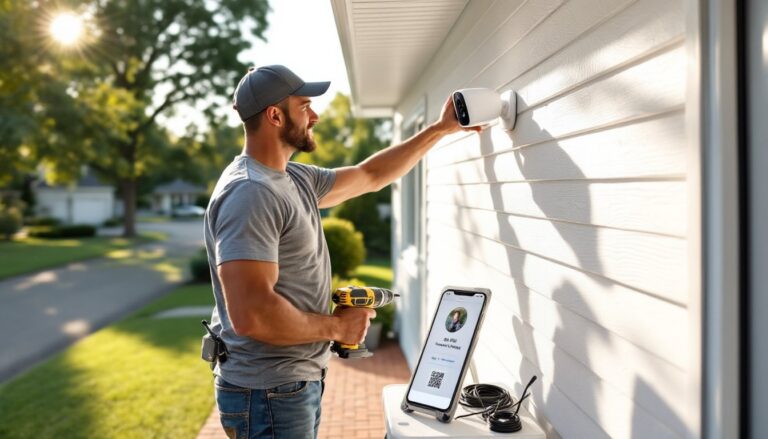
- Wireless, battery-powered cameras: Brands like Ring, Arlo, and Blink mount with included screws and connect via Wi-Fi. No cable runs, no network configuration beyond pairing to an app. Total install time: 15–30 minutes per camera.
- Indoor cameras: Tabletop or magnetic-mount cameras (Wyze, Blink Mini) require no drilling. Plug them in, connect to Wi-Fi, done.
- Rental properties: If you can’t drill holes or run cables, battery-powered or plug-in cameras are your only option.
- Tight budget: DIY saves $100–$500 per camera in labor. If you’re handy and have a weekend free, you’ll pocket that money.
When to hire a pro:
- Wired systems: Running Cat6 through walls, attics, or crawl spaces isn’t hard, but it’s tedious and requires fish tape, a drill with long bits, and patience. Mistakes mean drywall repairs. Professionals do it faster and cleaner.
- Multi-story homes: Mounting cameras on second-story eaves or gables requires a tall ladder and comfort working at height. If that’s not you, hire out.
- Network upgrades: If your home’s Wi-Fi can’t support multiple HD streams, you’ll need to upgrade your router, add access points, or switch to a wired PoE system. Pros can assess your network and recommend solutions.
- Integration with existing systems: Connecting cameras to an alarm panel, NVR, or smart home hub involves programming and compatibility checks. Installers do this daily: you’d be learning as you go.
- Permit requirements: Any work touching 120V electrical requires a permit in most jurisdictions. Licensed electricians pull permits as part of their service.
A hybrid approach works too: buy your own security cameras for home use and hire an installer just for wiring and network setup. You’ll save on equipment markup while avoiding the steep learning curve.
Consider ongoing maintenance. If you’re comfortable on a ladder and don’t mind wiping down lenses or resetting cameras occasionally, DIY is fine. If that sounds like a chore, a service plan is worth the monthly fee.
Safety reminder: Always wear safety glasses when drilling overhead, and use a sturdy ladder with a spotter if working above 8 feet. Turn off power at the breaker before working near electrical outlets.
Conclusion
Security camera service bridges the gap between buying equipment and actually protecting your home. Professional installation ensures cameras are positioned, wired, and configured correctly from day one, while maintenance plans keep systems running long-term. Whether you go DIY or hire out depends on your system complexity and skill level, but don’t skip the planning and prep work. A poorly installed camera is just an expensive lawn ornament.