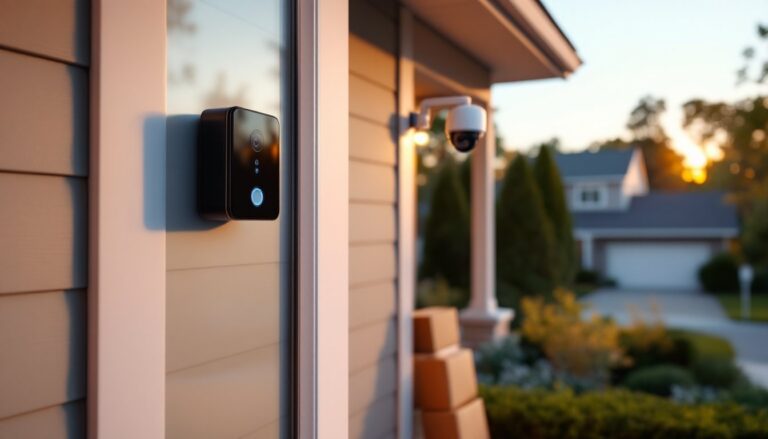
Business owners no longer need to run Ethernet cables through walls or hire electricians for days to install security cameras. Wireless security camera systems have matured into reliable, professional-grade tools that offer flexibility, quick deployment, and surprisingly robust performance. Whether protecting a retail storefront, warehouse, or office space, wireless cameras eliminate the physical constraints of wired systems while delivering features that rival traditional CCTV setups. This guide walks through what to look for, which systems perform best, and how to install them properly without creating security gaps or Wi-Fi headaches.
Table of Contents
ToggleKey Takeaways
- Wireless security camera systems eliminate expensive installation time and permanent wall damage, allowing quick deployment in hours compared to days for wired systems, making them ideal for businesses in leased spaces.
- Professional-grade wireless cameras require at least 4MP resolution, wide dynamic range (WDR), and effective night vision (50+ feet IR range) to capture facial recognition and identify license plates for business incident documentation.
- Proper Wi-Fi infrastructure is critical—plan camera locations where signal strength exceeds -60 dBm, use business-grade access points instead of range extenders, and configure motion detection zones to prevent alert fatigue from false triggers.
- Cloud and local storage each serve different needs: cloud offers off-site protection and remote access but carries monthly fees ($3–10 per camera), while local NVR storage eliminates ongoing costs but requires hybrid backup solutions for theft protection.
- Mount cameras 8–10 feet high with a 15–20 degree downward tilt to prevent tampering while maintaining facial recognition capability, and segment camera networks onto separate VLANs to prevent compromised cameras from accessing business systems.
- Businesses benefit from hybrid approaches mixing high-resolution wired cameras for critical zones like cash registers with flexible wireless units for coverage elsewhere, maximizing security coverage while staying within budget constraints.
Why Wireless Security Cameras Are the Smart Choice for Business Owners
Wireless cameras connect via Wi-Fi or cellular networks, eliminating the need for hardwired Ethernet drops to each camera location. This cuts installation time significantly, what might take two days with cabled systems often wraps up in hours with wireless units. For businesses in leased spaces, this matters doubly: no permanent wall penetrations means lower restoration costs when moving.
Flexibility is another major advantage. Need to monitor a new loading dock or reposition a camera after rearranging the sales floor? Wireless units move with minimal fuss. Many modern wireless systems also integrate with cloud platforms, enabling remote viewing from smartphones or tablets without setting up VPNs or port forwarding. Business owners can check live feeds or review footage from anywhere with internet access.
Battery-powered wireless cameras push flexibility even further, covering areas with no nearby power outlets, think outdoor gates, remote storage sheds, or parking lots. Some models run six months or more on a single charge, though high-traffic areas with frequent motion triggers drain batteries faster.
One honest caveat: wireless doesn’t mean maintenance-free. Wi-Fi range, signal interference from metal structures, and network bandwidth all affect performance. A poorly planned wireless system can suffer from dropped connections or laggy video feeds. But when set up correctly, these systems rival wired setups for reliability while offering installation and reconfiguration benefits wired cameras simply can’t match.
Key Features to Look for in Business Wireless Security Systems
Not all wireless cameras are built the same. Business use demands features that consumer-grade home security systems often skimp on. Here’s what separates adequate from excellent.
Resolution matters more in commercial settings. Look for 4MP (2560×1440) or higher. Lower resolutions like 1080p may suffice for monitoring general activity, but identifying faces, reading license plates, or documenting incidents requires sharper detail. Many top-tier systems now offer 4K options, though file sizes and bandwidth needs increase accordingly.
Field of view (FOV) determines how much area one camera covers. Wide-angle lenses (110–130 degrees) reduce the number of cameras needed for large spaces but can distort edges. Narrower FOVs (80–90 degrees) provide clearer detail in focused areas like entry doors or cash registers. Pan-tilt-zoom (PTZ) cameras offer adjustable coverage but cost more and require thoughtful placement.
Two-way audio is increasingly standard but quality varies. Businesses using cameras for customer interaction (retail entrances, reception areas) need clear speakers and microphones. Cheaper models produce tinny, hard-to-understand audio.
Motion detection with customizable zones prevents alert fatigue. Set detection zones to ignore tree branches swaying in the parking lot but trigger on someone approaching the rear door. Advanced systems use AI to differentiate between people, vehicles, and animals, cutting false alerts dramatically.
Many wireless security systems now include smart integrations with other business tech, door locks, alarm panels, lighting controls. These ecosystems simplify management but can lock you into one manufacturer’s platform.
Video Quality and Night Vision Capabilities
Infrared (IR) night vision is standard, but effective range varies widely. Entry-level cameras often max out at 20–30 feet in total darkness. Business applications, especially outdoor coverage or large interiors, benefit from cameras rated for 50–100 feet or more.
Color night vision uses ambient light (streetlights, signage) and advanced sensors to capture color footage in low light. This helps with vehicle color identification or clothing details that IR footage turns to grayscale. Expect to pay 20–30% more for this feature.
Starlight sensors perform exceptionally in near-dark conditions without IR LEDs, which can create harsh, washed-out images at close range. They’re worth considering for parking areas with minimal lighting.
Frame rate affects motion clarity. 15 frames per second (fps) is functional but can produce choppy playback during fast movement. 20–30 fps captures smoother motion, critical for documenting incidents involving vehicles or altercations.
Wide Dynamic Range (WDR) balances exposure in scenes with both bright and dark areas, think entrances with sunlight streaming through glass doors while the interior remains dim. Without WDR, footage often shows either a blown-out bright area or a pitch-black interior. This feature is non-negotiable for businesses with large windows or mixed lighting.
Cloud Storage vs. Local Storage Options
Cloud storage uploads footage to remote servers, protecting recordings from theft or damage to on-site equipment. Most providers charge monthly fees based on camera count and retention period, expect $3–10 per camera monthly for 30-day storage. Cloud access enables instant remote review and simplifies sharing footage with law enforcement or insurance adjusters.
Downsides include ongoing costs and dependence on internet uptime. A severed cable or ISP outage means no recording. Bandwidth also becomes a concern: multiple 4K cameras uploading continuously can saturate business internet connections, slowing other operations.
Local storage uses SD cards in individual cameras or a network video recorder (NVR) on-site. There’s no monthly fee beyond the initial hardware cost. An NVR with 2TB–4TB capacity handles 4–8 cameras recording continuously for weeks, depending on resolution and compression.
Local storage vulnerability to theft or fire is the tradeoff. A smash-and-grab thief might destroy the NVR along with cameras. Some systems hedge by offering hybrid storage, continuous local recording with cloud backup of motion-triggered clips. This balances cost control with off-site protection.
Compression format affects storage needs. H.265 (HEVC) cuts file sizes roughly 40% compared to older H.264 without sacrificing quality. Older systems still using H.264 chew through storage and bandwidth faster.
Top Wireless Security Camera Systems for Small to Medium Businesses
Ubiquiti UniFi Protect earns top marks for businesses comfortable with network equipment. The system requires a UniFi Cloud Key or Dream Machine as the NVR, but offers exceptional image quality, robust software, and no monthly fees. Cameras range from compact G3 Instant units (1080p, Wi-Fi) to G4 Pro models (4K, PoE with Wi-Fi backup). The interface rivals enterprise systems at a fraction of the cost. Trade-off: setup demands more technical knowledge than plug-and-play consumer systems.
Arlo Pro 5S suits businesses wanting dead-simple setup with strong mobile app control. Battery-powered with solar panel options, these cameras install anywhere. 2K resolution, color night vision, and 160-degree FOV cover large areas. Arlo’s cloud plans start at $4.99/month per camera. Limitations: battery life suffers in high-traffic areas, and video quality lags behind hardwired competitors.
Reolink RLK8-800B4 delivers eight 4K cameras with a 2TB NVR for under $600, hard to beat for value. While marketed for residential use, the system handles light commercial applications like small offices or shops. Cameras support both Wi-Fi and PoE (wired option for critical locations). No monthly fees. The mobile app is functional but less polished than competitors.
For larger operations, Verkada systems bring enterprise features, unlimited cloud storage, AI analytics, centralized management, with pricing to match (typically $600+ per camera annually). The platform shines for multi-location businesses needing unified monitoring and compliance features. Overkill for single-location small businesses.
According to recent smart security testing, many businesses benefit from mixing camera types, high-res wired cameras for critical zones (cash registers, inventory) and wireless units for flexible coverage elsewhere. This hybrid approach maximizes budget while maintaining comprehensive coverage.
Before purchasing, verify local storage capacity needs. Calculate based on camera count, resolution, retention days desired, and motion vs. continuous recording. Underestimating storage means footage overwrites faster than expected, potentially losing critical incidents.
Installation Tips: Setting Up Your Wireless Business Security System
Survey Wi-Fi coverage before mounting cameras. Walk the perimeter and interior spaces with a smartphone running a Wi-Fi analyzer app. Signal strength below -70 dBm causes connection drops. Metal roofs, concrete walls, and large appliances block signals. Plan camera locations where signal strength exceeds -60 dBm for reliable performance.
If coverage gaps exist, add Wi-Fi mesh nodes or dedicated access points. Don’t rely on range extenders, they introduce latency and halve available bandwidth. A quality business-grade access point costs $100–250 but eliminates connectivity headaches that plague cheap solutions.
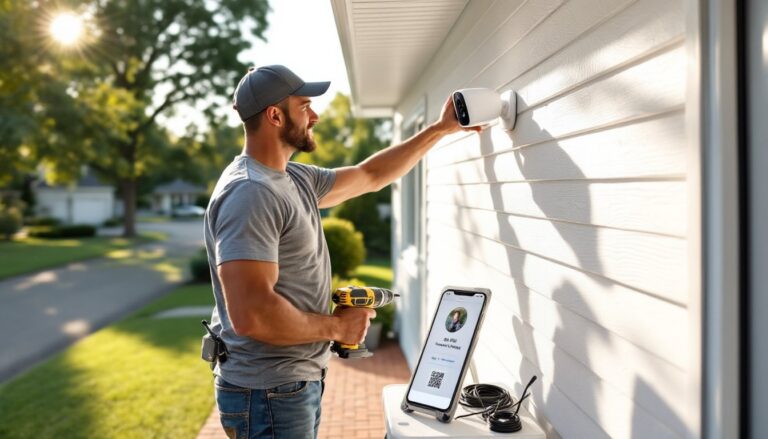
Mount cameras 8–10 feet high to prevent tampering while maintaining facial recognition capability. Too high creates top-down angles that obscure faces. Downward tilt should be about 15–20 degrees for optimal identification range.
Similar to best home security camera installations, outdoor cameras need weatherproof enclosures rated IP65 or higher. Even cameras advertised as weatherproof benefit from additional protection in harsh climates. Ensure mounting surfaces are solid, vinyl siding won’t support camera weight reliably. Use backing plates or mount to studs/masonry.
Power considerations: Battery cameras work for low-traffic areas but quickly become maintenance headaches in busy zones. If running power anyway, consider PoE-capable cameras with Wi-Fi backup, best of both worlds. Solar panels work in sun-exposed locations but require cleaning and produce insufficient power in winter in northern climates.
Configure motion zones immediately after installation. Default settings trigger on everything, passing cars, swaying signs, cloud shadows. Spend time fine-tuning zones and sensitivity. Most false alarms stem from lazy configuration, not faulty hardware.
Secure the system properly. Change default passwords to unique, complex credentials. Enable two-factor authentication on all admin accounts. Segment cameras onto a separate VLAN (virtual local area network) isolated from business computers and point-of-sale systems. A compromised camera shouldn’t provide access to financial systems.
Test night vision coverage after dark. What looks fine in daylight may have blind spots at night due to IR reflection off windows or signage. Walk the property at night checking camera views on the mobile app.
Schedule regular maintenance. Even professional security systems degrade without upkeep. Quarterly tasks include cleaning lenses, checking battery levels, verifying motion detection zones, and reviewing storage capacity.
Consider professional installation for systems over six cameras or complex properties. Costs run $100–200 per camera installed, but pros handle Wi-Fi optimization, proper mounting, and initial configuration that DIY installers often fumble. Many security companies offer installation-only services without requiring monitored contracts.
For businesses in regulated industries (healthcare, finance), verify that your system meets compliance requirements. HIPAA, PCI-DSS, and other standards impose specific rules about footage retention, access controls, and encryption. According to security compliance research, many off-the-shelf consumer systems don’t meet these standards without additional configuration or hardware.
Conclusion
Wireless security cameras have evolved into legitimate business tools that balance installation simplicity with professional features. Focus on resolution appropriate to your monitoring needs, choose storage that fits both budget and risk tolerance, and invest time in proper Wi-Fi infrastructure and configuration. A well-planned wireless system provides security coverage that adapts as the business grows, without the permanent infrastructure commitment of wired alternatives.